

Internet Speed: What is Bandwidth?
Depending on where and how you are online, you need a high bandwidth; otherwise, you may experience long loading times, delays, and outages. We will explain in simple terms what bandwidth actually means, how much you realistically need in everyday life, and how you can easily increase your internet speed.
What does bandwidth mean?
Imagine a data highway: Bandwidth indicates how many lanes are available for data traffic, providing insight into the volume of data your internet connection can transmit. This maximum amount of data per second is measured in Mbit/s (megabits per second) or Gbit/s for particularly fast fiber optic connections.
Difference: Bandwidth vs. Speed
Strictly speaking, bandwidth is not the speed of a data connection, but rather the maximum amount of data that can theoretically flow through it in a given period of time. To stick with the highway analogy: Bandwidth indicates how many vehicles can travel in parallel – not at what speed they do so.
In this simplified representation, the bandwidth is optimally utilized and therefore corresponds to the data throughput – that is, the amount of data that actually reaches your home. This can, but does not always have to be the case.
Because gaps in traffic can also occur on such a data highway, the available space – that is, the capacity of your internet connection – is not always fully utilized. However, for you as an average consumer, bandwidth is still a suitable benchmark for various application scenarios.
How much bandwidth do you need?
Different applications on the internet have varying demands on your data connection. For a rough guideline on how many Mbps you should have for a smooth online experience, simply take a look at the following user profiles.

Casual Surfer
You regularly visit websites, read the news daily, shop online, check Facebook, and send the occasional email? For simple applications like these, theoretically, 5 to 10 Mbit/s is sufficient. However, it should ideally be more. Depending on the type and structure of the website or social media app, data-intensive images and videos may need to be transmitted.
For a smooth online experience, especially in a multi-person household, you should plan for more bandwidth. With 25 Mbit/s, you create a solid buffer, but you may need to upgrade again in a few years if your usage habits or the general requirements on the internet change. With 50 Mbit/s, you should be on the safe side as a casual surfer in the long term.

Home Office Users
If you earn your "daily bread" from home, a stable internet connection is literally a foundation for your existence. Simple online calls can be managed well with 10 Mbit/s, but for large video conferences in good quality and regular file downloads, we recommend around 25 Mbit/s.
If you share a household with multiple home office users, a bandwidth of 100 Mbit/s or more is worthwhile. This ensures uninterrupted productivity, where parallel video calls and downloads do not get interrupted.
By the way: When it comes to video calls, upload bandwidth is also relevant. For one person, we recommend at least 10 Mbit/s, and for multiple home office participants, the need may be correspondingly higher.

Smart Home Designer
The living room light responds to your command, the sound system fills the entire house, and the washing machine and refrigerator can be easily monitored even when you're away. In short: your home is perfectly connected. Most smart home devices, on their own, do not require much bandwidth.
However, if you use a lot of them, the consumption can quickly add up. As a general rule of thumb, you should therefore add about 5 Mbit/s for every ten smart home devices to the planned bandwidth.
But beware: while a small thermostat may only send minimal data, the live feed from an HD camera can quickly become a data hog. If you have multiple surveillance cameras, you should therefore expect an additional 10 Mbit/s.

Streamer
No one wants to deal with blurry images, stuttering, or even streaming outages during the most exciting moments of a series. A smooth streaming experience requires a bandwidth of about 10 Mbps for Full HD content. If you're watching in crystal-clear 4K, you should aim for 25 Mbps download speed .
But beware: In times of numerous devices, it's advisable to account for simultaneous video streams. Depending on household or family size and consumption behavior, you should plan for 50 to 100 Mbps.
If you're not watching Netflix and similar services, but rather "traditional" television via IPTV (i.e., internet television), similar guidelines apply. For more precise information on bandwidth, you can usually check with your streaming or IPTV provider.

Gamer
Gaming findet zunehmend online statt. Ob Sie hitzige Multiplayer-Gefechte mit Spielern auf der ganzen Welt austragen, Spiele im Online-Store kaufen und herunterladen oder virtuelle Abenteuer in der Cloud erleben – eine stabile Internet-Anbindung mit ausreichender Bandbreite ist die Voraussetzung für ein frustfreies (und siegreiches) Spielerlebnis.
Für einfaches Online-Gaming können bereits 10 Mbit/s im Download bzw. 5 Mbit/s im Upload genügen. Um Verzögerungen, Verbindungsabbrüche und langsame Downloads zu vermeiden, empfehlen wir aber 25 bis 50 Mbit/s im Download.
Da Spiele grafisch opulenter und Dateigrößen (und damit verbundene Downloads) immer umfangreicher werden, dürfen es aber auch gerne 100 Mbit/s oder mehr sein. Das ist insbesondere dann wichtig, wenn sich mehrere Spielefreunde eine Internetleitung teilen.

Cloud-Nutzer
Über den Wolken ist die Freiheit grenzenlos – eine ordentliche Internet-Bandbreite vorausgesetzt. Hier gilt: Je schneller Ihr Internet, desto flotter laden Sie Ihre Urlaubs- und Familienfotos in die Cloud und desto zuverlässiger funktioniert auch die Synchronisierung mit modernen Cloud-Diensten. Hier sollten Sie Wert auf solide Upload-Bandbreite legen.
Buchen Sie eine Leitung mit 50 Mbit/s im Download – die Einzelpersonen mit Cloud-Affinität mindestens zur Verfügung stehen sollten – können Sie mit mindestens 10 Mbit/s im Upload rechnen. Damit können Datensicherungen aber eine Weile dauern. Und ohnehin kann ein bequemes Mbit-Polster nicht schaden. Mit 100 Mbit/s Down- und ca. 20 Mbit/s Upload-Bandbreite geraten Video-Calls im Home-Office, abendliche Serien-Streams, Gaming-Abenteuer und Co. wahrscheinlich nicht ins Stocken, wenn Sie Ihre Cloud synchronisieren.
Measuring and Improving Internet Speed
You can find the bandwidth of your internet connection in the documents of your chosen plan. Whether this speed is actually achieved in practice depends on various factors, such as network congestion. With the devolo Speedtest , you can find out how much bandwidth is actually reaching your router.
If the subscribed bandwidth of your internet connection is sufficient for your needs, but the evening series stream is still not smooth, the problem is likely in your home network – and your WiFi coverage. Use the speed test to determine how high the download and upload speeds, as well as latency (ping), ultimately are on your devices in different rooms.
If a WiFi weakness is apparent, you can follow our general tips for improving WiFi. Using a WiFi extender is particularly effective.

High-speed internet with devolo
The full bandwidth of the internet, in every room
Thick ceilings and walls – as well as the general distance from the router – can prevent the full bandwidth of your internet from being utilized in every room. With the flexible WiFi boosters from devolo , you create the perfect foundation for ideal WiFi reception throughout your living space.
Particularly effective is devolo Magic: The clever powerline technology brings WiFi through the electrical wiring into every room with a power outlet. This allows you to enjoy full productivity in the home office, smart features and inspirations for every situation, and of course, plenty of entertainment.

- 2 adapters (1x LAN, 1x WiFi)
- Up to 3000 Mbps via Wi-Fi 6
- 2 free Gigabit LAN ports
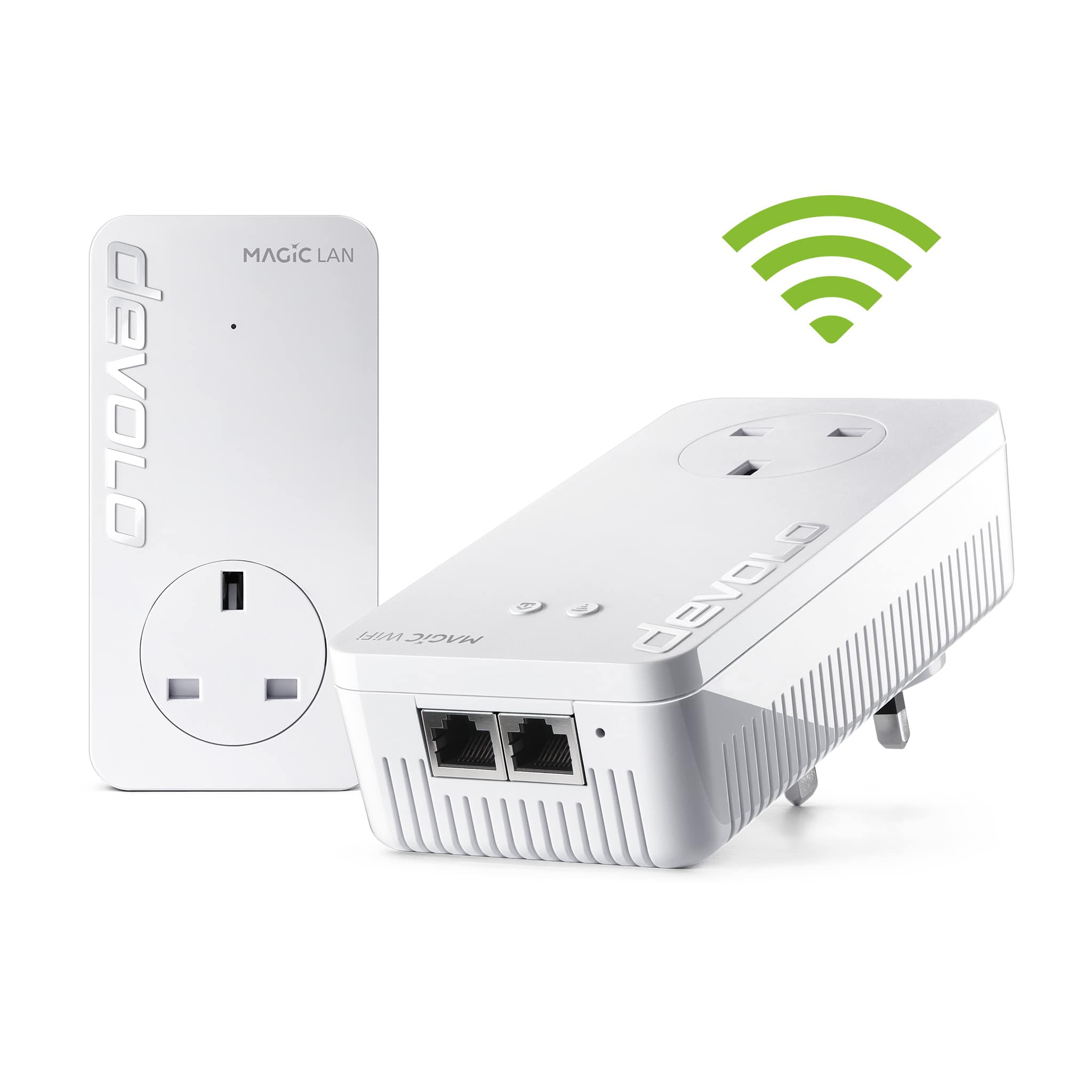
- 2 adapters (1x LAN, 1x WiFi)
- Up to 1200 Mbps via Wi-Fi
- 2 free Gigabit LAN ports

- More range for your Wi-Fi
- Up to 3000 Mbps via Wi-Fi 6
- 1 Gigabit LAN port

- More range for your Wi-Fi
- Up to 5400 Mbps via Wi-Fi 6
- 2 Gigabit LAN ports

devolo Product Advisor
Not sure which Wi-Fi booster is right for your home? Our product advisor will help you in just a few clicks.
Would you like to learn more about topics such as WiFi range, eliminating dead zones, and router and product compatibility?