

devolo Product and Router Compatibility Assurance
Learn all about the compatibility of devolo devices with your router and enhance your WiFi with helpful tips and suitable adapters.
Products from devolo: Compatible with each other and all common routers
You want to improve your WiFi and are wondering if devolo's solutions fit your existing system? Then we have good news for you: With devolo, you have compatibility assurance at all times, as all common router models are supported. Even if you already own devolo products and want to expand your network with newer devices, this is possible. All Magic Powerline adapters are fully compatible with each other.
What diminishes the WiFi performance of routers?
You are using the WiFi signal from your router but are dissatisfied with its speed, stability, and range? There are various sources of interference that could be responsible:
- Structural conditions : Thick concrete ceilings or metallic walls can obstruct the signal and halt its propagation even before reaching maximum range.
- Electrical devices and signals : Running electrical devices in the vicinity, such as microwaves or other WiFi routers, can negatively impact performance if they use the same radio channel.


First Aid Optimization of WiFi – for all common routers
If you would like to optimize your WiFi, you have several options. First, we will outline the classic methods, which are certainly always worth a try.
However, they are significantly less effective in the long run than what we believe to be the best option: WiFi optimization through our Powerline adapters. The compatibility-safe devices for interference-free, wireless internet from the socket work perfectly in combination with all common routers, regardless of the brand.
Tip 1: Rethink Location
To ensure good WiFi reception everywhere, it is very important to choose an optimal location for your router. It should be positioned freely and centrally to reach as many rooms as possible. An elevated position of the router can enhance the WiFi signal. You should never "hide" the device behind bulky furniture or in a drawer, as this often affects the connection quality.
Tip 2: Adjusting Transmission Power
Incorrect router configuration can also lead to poor WiFi performance. If your router allows for flexible adjustment of transmission power, select the maximum value. This is the only way to achieve the highest possible range. Additionally, you can experiment with the router antennas. Simply test several positions until you find the best placement.
Tip 3: Choose Frequency Band
The 2.4 GHz band is crowded with many networks, which can lead to reception issues and reduced speeds. To address this, access the configuration tool of your WiFi router or use a specialized WiFi tool. This will show you which of the 13 channels in the 2.4 GHz band are occupied by neighboring networks. The 5 GHz band has fewer channels occupied. However, this does not mean you should completely abandon the 2.4 GHz band; there will always be older devices that only support 2.4 gigahertz.
Tip 4: Rethink Router Model
Is your router an older model? If so, it may have a speed limitation. Additionally, modern standards that improve WiFi are often not integrated. This includes technologies like MIMO (Multiple Inputs – Multiple Outputs). With MIMO, the router can automatically direct the WiFi signal in different directions through its antennas, increasing both range and speed.
Tip 5: Optimize with devolo products
Are you still dissatisfied because your expectations for a perfect internet connection are not being met? Then our products offer you a more sustainable solution to the problem of poor and unreliable reception. Which router you choose to use is irrelevant to the system.
You can expand the created WiFi network at any time with additional Powerline adapters. The devolo series are also compatible with each other. Two Powerline adapters are always used together; one connects to your router, while the other connects via cable to up to three end devices or wirelessly through the WiFi function with mobile devices.
Finally, you can stream movies, play online games, chat, or browse without interruptions and dropouts throughout your home.

- 2 adapters (1x LAN, 1x WiFi)
- Up to 3000 Mbps via Wi-Fi 6
- 2 free Gigabit LAN ports
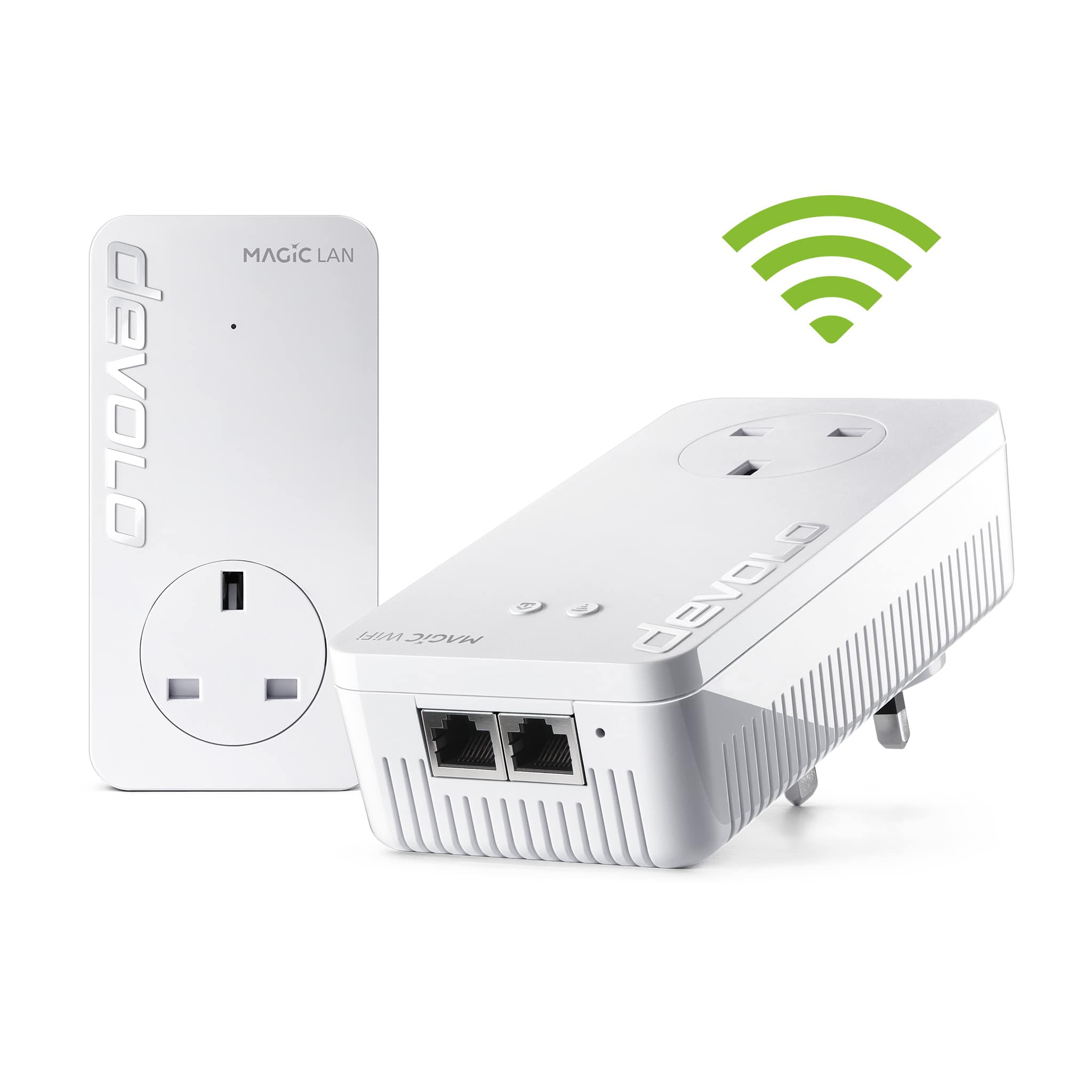
- 2 adapters (1x LAN, 1x WiFi)
- Up to 1200 Mbps via Wi-Fi
- 2 free Gigabit LAN ports

- More range for your Wi-Fi
- Up to 3000 Mbps via Wi-Fi 6
- 1 Gigabit LAN port

- More range for your Wi-Fi
- Up to 5400 Mbps via Wi-Fi 6
- 2 Gigabit LAN ports

devolo Product Advisor
Not sure which Wi-Fi booster is right for your home? Our product advisor will help you in just a few clicks.
Would you like to learn more about topics such as WiFi range, eliminating dead zones, and router and product compatibility?